
Trending:
GTA 6 AI Photo Prompts: How to Create Images Using ChatGPT and Gemini
Try these GTA 6 AI photo prompts to transform your pictures into cinematic video-game-style images using ChatGPT and Google Gemini. Follow us
News Arena Network - New Delhi - UPDATED: November 19, 2026, 05:34 PM - 2 min read
GTA 6 AI Photo Prompts
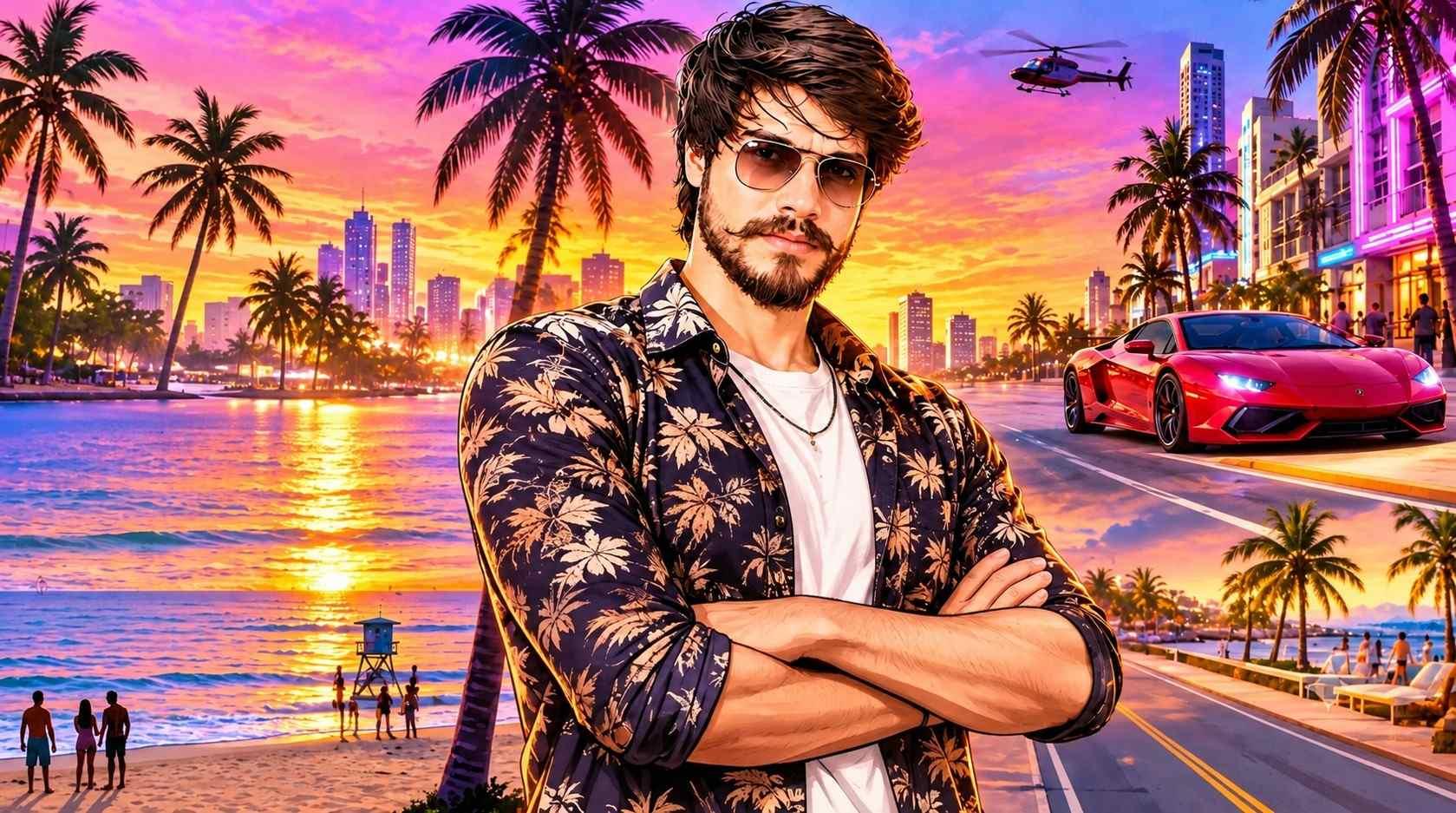
The popularity of Grand Theft Auto 6 has led to a social media trend in which users transform their regular photographs into colourful, cinematic images inspired by the video game's promotional artwork. The edited pictures often feature Miami-style streets, palm trees, dramatic sunsets, luxury cars and video-game character designs.
Creating these images does not require advanced editing skills or professional software. ChatGPT and Google Gemini can generate GTA 6-inspired visuals from an uploaded photograph and a detailed text prompt. The finished images can be used as WhatsApp statuses, Instagram posts or other social media content.
What is the GTA 6 AI photo trend?
The trend involves using an AI image generator to rework an ordinary photograph into a stylised picture influenced by the visual treatment associated with Grand Theft Auto 6 promotional material.
Common elements in these images include:
- Bright neon colours and warm sunset illumination.
- Palm trees, beaches and Miami-inspired urban locations.
- Cinematic settings with dramatic compositions.
- Realistic characters presented in a video-game poster style.
- Luxury cars, fashionable clothing and modern city surroundings.
Users can upload their own photograph and instruct the AI tool to retain their identity while changing the setting, clothing, lighting and overall visual style.
How to make GTA 6-style photos with ChatGPT
ChatGPT can transform an uploaded image into a video-game-inspired portrait based on instructions about the character, environment, lighting and colour palette.
- Open ChatGPT on a smartphone or computer.
- Select the attachment or image-upload option and add a clear photograph.
- Paste one of the prompts below.
- Ask ChatGPT to generate the image.
- If necessary, provide further instructions to change the background, clothing or lighting.
- Save the completed image and share it on WhatsApp, Instagram or another social platform.
ChatGPT prompts for GTA 6-inspired images
Prompt 1: Character poster
“Turn my uploaded photograph into a polished Grand Theft Auto 6-inspired character poster. Preserve my facial identity, face shape, hairstyle, skin tone and natural features without altering my appearance. Present me as a stylish video-game character on a vibrant Vice City-inspired street, with palm trees, pastel buildings, luxury cars, neon signs and a striking sunset behind me. Use bold colours, cinematic lighting, detailed textures and the illustrated look of open-world video-game promotional artwork. Create a professional and visually powerful composition. Do not include text, a watermark or logos.”
Prompt 2: Realistic game screenshot
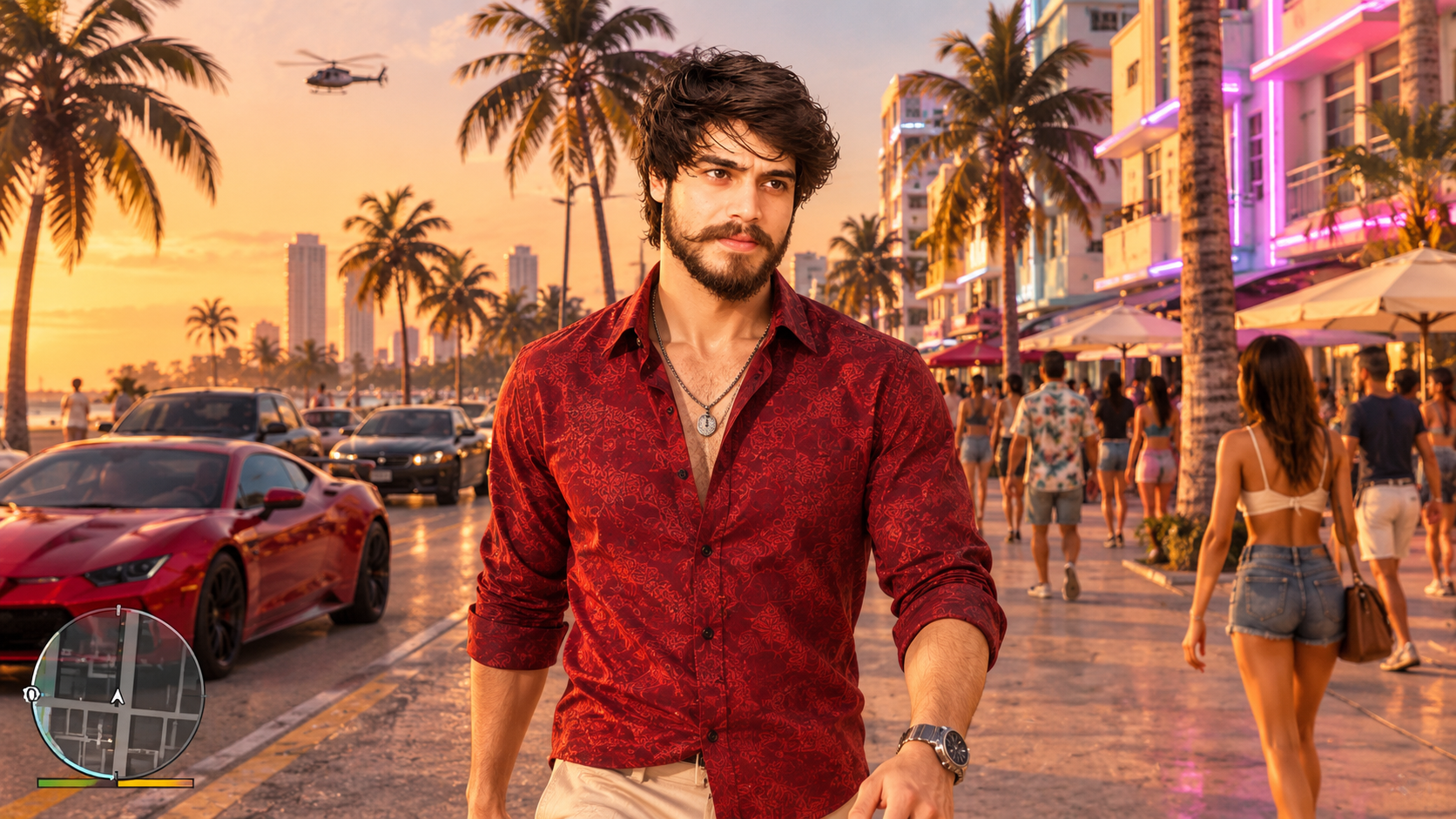
“Use my uploaded photograph as the reference and keep my face, hairstyle and skin tone recognisable. Reimagine me as a realistic character from an open-world action-adventure game inspired by GTA 6. Show me walking along a busy Miami-inspired street featuring palm trees, sports cars, colourful buildings and pedestrians. Use realistic game-engine graphics, cinematic camera angles, detailed surroundings and warm evening light. The result should resemble an actual gameplay screenshot rather than a normal photograph. Do not add text or logos.”
Prompt 3: Sunset beach scene
“Transform my uploaded photograph into a cinematic GTA 6-inspired beach scene while preserving my original facial features and identity. Place me on a beautiful Vice City-inspired beach with palm trees, a colourful sunset, ocean waves and luxury properties along the shore. Dress me in a fashionable summer outfit. Use vivid pink, orange and purple tones, dramatic golden-hour lighting and a refined video-game illustration style. Make it resemble premium promotional artwork for an open-world game. Do not include text or a watermark.”
How to use Google Gemini for GTA 6-style images
Google Gemini can also edit an existing photograph after the user uploads it and explains the desired GTA 6-inspired transformation.
- Visit Google Gemini or open the Gemini application.
- Choose the image-upload option and add a photograph.
- Enter a detailed prompt describing the desired edit.
- Submit the request and wait for the image to be generated.
- If the result needs changes, ask Gemini to preserve the original facial features or modify the scene.
- Download the image after the final version is ready.
Gemini prompts for GTA 6-inspired photos
Prompt 1: Loading-screen artwork
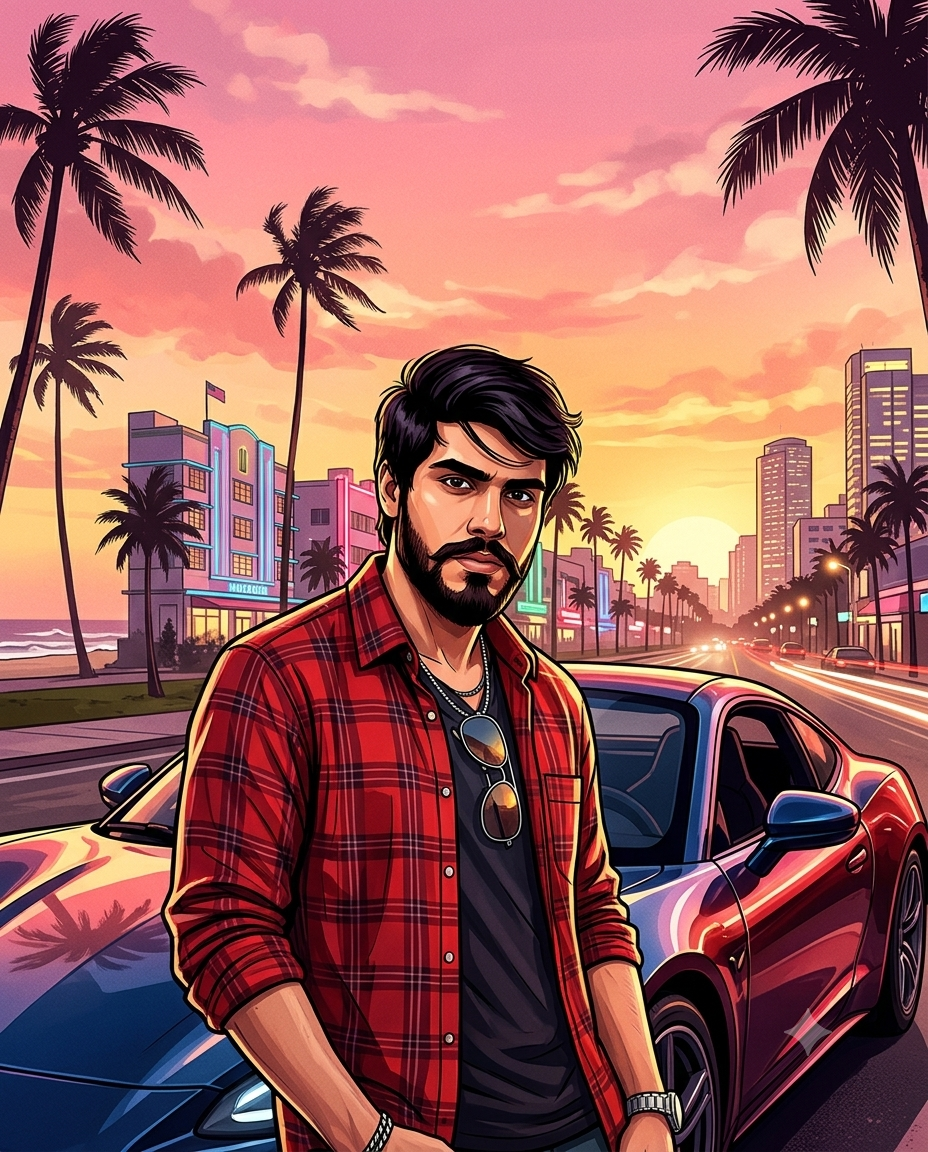
“Convert my uploaded photograph into a Grand Theft Auto 6-inspired loading-screen illustration. Keep my face and identity recognisable. Use strong black outlines, rich colours, detailed shading and a stylised digital-painting technique. Show me posing confidently before a Vice City-inspired skyline with palm trees, luxury cars and a pink-orange sunset. Give the image a premium video-game loading-screen appearance. Use a vertical 4:5 composition and do not add text, a game logo or a watermark.”
Prompt 2: Neon city at night
“Use my uploaded photograph as the main reference and preserve my facial identity. Recreate me as a character in a GTA 6-inspired neon city at night. Place me beside a stylish sports car on a rain-covered street, with colourful neon lights, tall buildings, palm trees and reflections on the road. Apply cinematic night photography, realistic video-game graphics, rich colours and dramatic lighting. The final image should resemble a high-budget open-world game scene. Do not include text or logos.”
Prompt 3: Character selection portrait
“Transform my uploaded photograph into a stylish character-selection portrait inspired by Grand Theft Auto 6. Retain my original face, hairstyle, skin tone and expression. Show me standing confidently with folded arms and wearing fashionable streetwear. Use a colourful Vice City-inspired urban setting with palm trees, modern buildings and a sports car. Add bold illustrated details, cinematic lighting and vibrant colour grading so it looks like an official-quality video-game character portrait. Do not include text, logos or a watermark.”
Choosing the right photograph
The quality of the original image can affect the final result because a clear photograph gives the AI more visual information to work with.
- Choose a well-lit image in which the face is clearly visible.
- Avoid heavily filtered photographs, as an original image usually provides better reference details.
- Use a front-facing selfie or portrait to help the tool preserve identity.
- Clearly describe the intended setting, such as a beach, city street, luxury car scene or sunset.
- Specify the preferred look with terms such as cinematic, illustrated, realistic game graphics and vibrant colours.
- If the generated image changes the face, ask the tool to restore the original facial features.
ChatGPT or Google Gemini: Which works better?
Both platforms can generate GTA-inspired images, although the outcome may vary based on the uploaded photograph, the wording of the prompt and the image-generation model being used.
| Feature | ChatGPT | Google Gemini |
|---|---|---|
| Upload personal photographs | Yes | Yes |
| AI photo transformation | Yes | Yes |
| Custom prompts | Yes | Yes |
| Background changes | Yes | Yes |
| Character styling | Yes | Yes |
| Free usage | Subject to limits | Subject to limits |
Neither platform guarantees an exact reproduction of the original photograph. Users may need to adjust the wording and try multiple versions before obtaining the desired result.
Can GTA 6-style AI photos be made for free?
Users can try generating GTA 6-inspired images on ChatGPT and Google Gemini without necessarily buying a subscription. However, free access to image-generation features may be restricted by usage limits. The applicable limits can differ according to the platform, account and subscription plan.
